Tables, done properly
Merged cells, multi-row headers, nested tables, hidden rows, ARIA grids and tables that load later. Anything unusual becomes a visible warning, never silent data loss.
Free forever · No account · 100% local
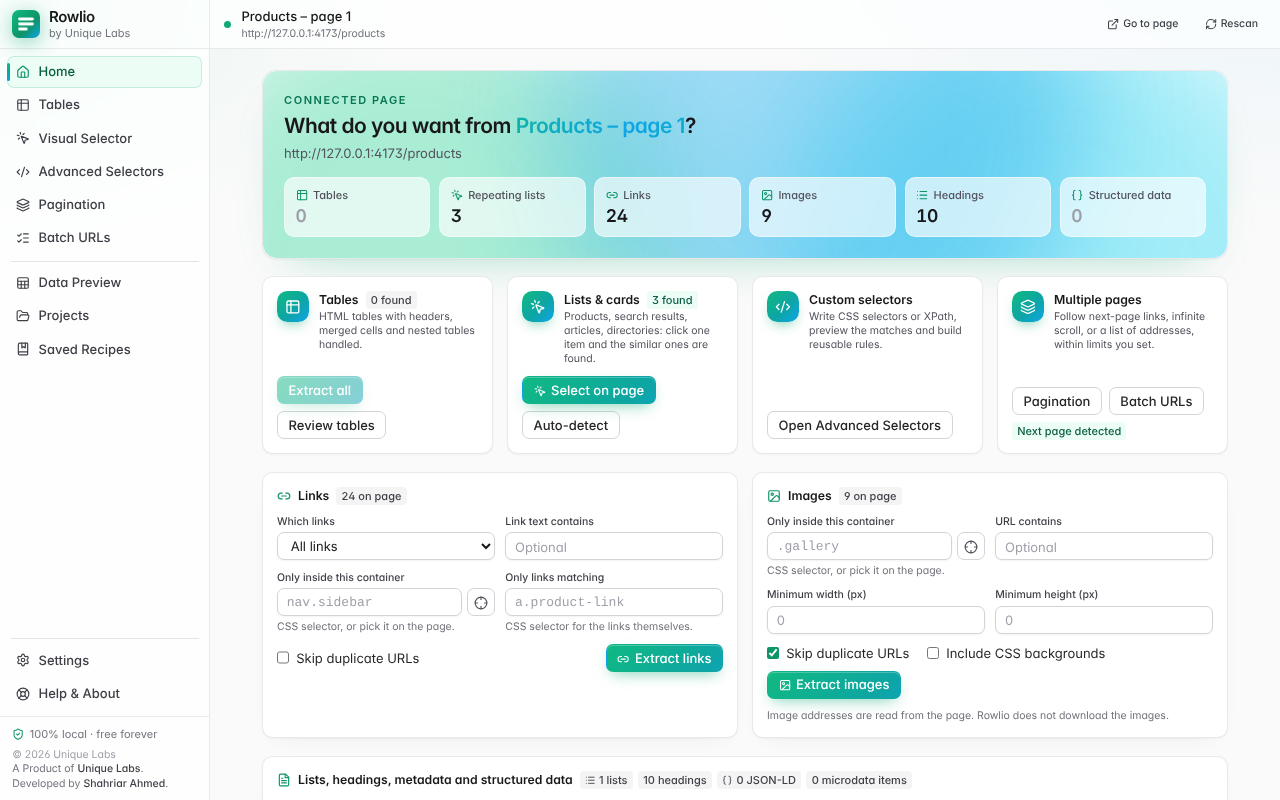
Rowlio is a Chrome extension that extracts tables, product listings, links, images and metadata from the page you are on, lets you clean the rows, and exports them to CSV, Excel, JSON and more. Nothing ever leaves your browser.
Works in Chrome 120+ and other Chromium browsers. Chrome Web Store listing coming soon.
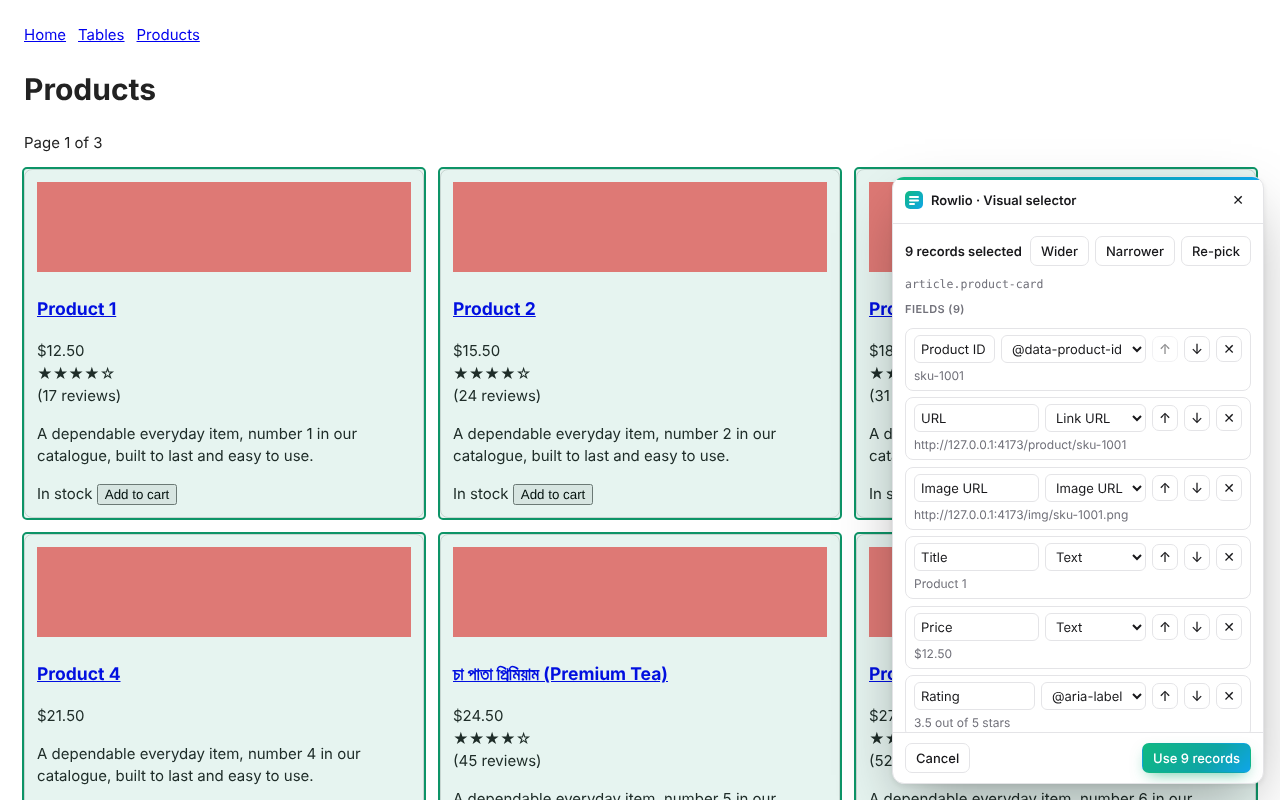
Point. Click. Rows.
Pick a single product card or search result and the similar ones are detected, along with the fields inside them. No code, no setup.
Everything you need
Merged cells, multi-row headers, nested tables, hidden rows, ARIA grids and tables that load later. Anything unusual becomes a visible warning, never silent data loss.
Point and click. Similar items and their fields are found for you: title, price, image, link, rating, date.
Write your own selectors with live match counts, samples and on-page highlighting.
Follow next links, page numbers or endless feeds, always within limits you set and with a Stop button.
Run one extraction over a list of pages, such as the detail pages behind a listing.
A fast spreadsheet-style preview: edit cells, sort, search, filter, remove duplicates, find & replace, split and combine columns, extract numbers, parse dates. Full undo, and the original extraction is always kept.
Links with filters, images including lazy-loaded ones, emails, phone numbers and social profiles.
Open Graph, Twitter Cards, JSON-LD and Schema.org microdata, flattened into columns.
Save results on your device and reuse extraction settings on similar pages.
How it works
Private by design
Rowlio has no server, no account and no analytics. It can only read a page after you click its icon there, and it makes no network requests of its own; the browser itself blocks them.
Read the privacy details →activeTab and scriptingInstall in a minute
Download Rowlio v1.1.0 and unzip it to a folder you will keep.
Go to chrome://extensions and switch on Developer mode.
Click Load unpacked and choose the unzipped folder.
Pin Rowlio to the toolbar, open any webpage and click the icon.
Questions
Yes. There are no usage limits, no locked features, no trial and no account. Rowlio is a product of Unique Labs, built to be useful to everyone.
Nowhere. Extraction, cleaning and export all happen inside your browser. Data is saved on your device only when you choose to save a project, and you can delete it at any time.
It works on pages you can open in your browser. Chrome does not allow any extension on its own pages (chrome://), the Chrome Web Store and a few protected pages. Content inside cross-origin frames is out of reach.
No, and it will not. Rowlio reads what your browser already shows you. Please respect each website's terms of use and applicable laws.
Yes. Everything is Unicode end to end, tested with বাংলা, emoji and more, including the CSV and Excel exports.
No. Pagination, infinite scroll and batch runs are started by you, bounded by limits you set, and can be stopped at any moment.
Useful technology. Accessible to everyone.